Wasabi Hot Cloud Storage
Configure Wasabi Hot Cloud Storage as an S3-compatible target for data actions in the Aparavi Platform.
Overview
Wasabi Hot Cloud Storage is compatible with the Aparavi Platform as an S3-compatible target for data actions. This guide covers how to configure Wasabi as a target destination.
| Field | Value |
|---|---|
| Alliance Partner | Wasabi Technologies |
| Alliance Product | Wasabi Hot Cloud Storage: Object Tiers |
| Compatibility Type | S3 Compatible: Data Actions: Target |
| Storage Type | Public Cloud Provider |
| Platform Version | v2.x and above |
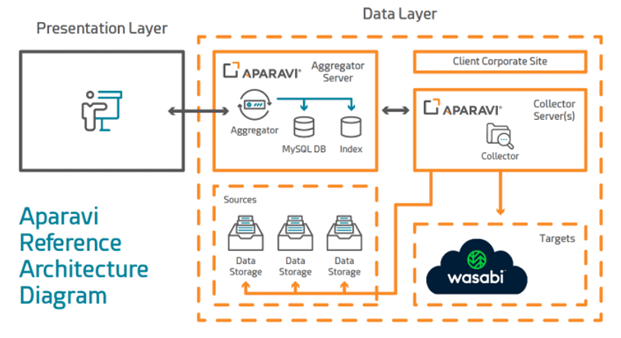
Reference Architecture
Deployment Guidelines
-
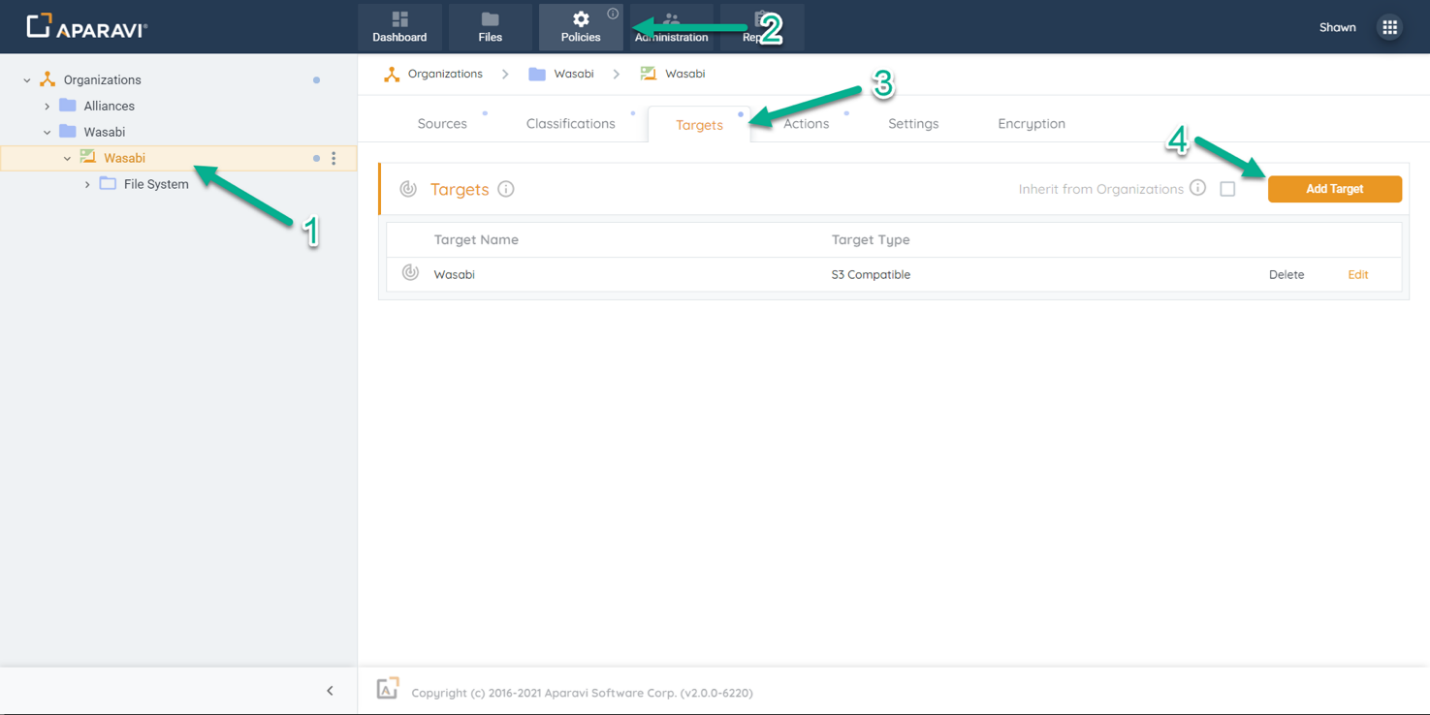
Log into the Aparavi Platform and click on the Collector or Aggregator-Collector component within the navigation tree on the left. This is the node where Wasabi will be added as a target.
-
Select Policies from the top menu bar.
-
Select the Targets tab under Policies.
-
Click the Add Target button.
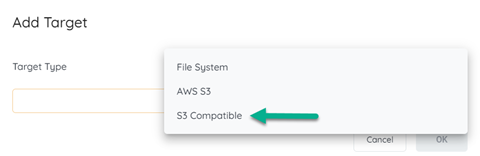
- A modal will open. Select S3 Compatible as the Target Type and click OK.
-
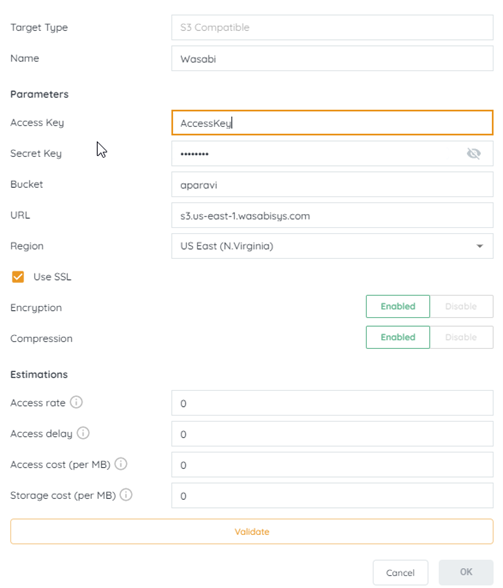
The S3 Compatible configuration modal will open. Configure the target settings for your Wasabi bucket:
- Name: Enter a name for the target (used for identification within the platform)
- Parameters: Provide bucket name, endpoint URL, access key, and secret key from your Wasabi account
- SSL: Enable if required
- Encryption: Enable to encrypt data at rest
- Compression: Enable to compress data before transfer
- Cost Estimations: Optionally enter storage cost estimates
-
Click the Validate button. If validation succeeds, Aparavi can access your Wasabi bucket.
-
Click OK to finalize. The Wasabi target is now ready for use in data actions.